Free & open source · Apache-2.0 · v6.124.1
Elasticdump – Export and Import Data Easily
Elasticdump is the small command-line tool most people reach for when an index needs to be somewhere else: another cluster, a JSON file, an S3 bucket. This site is the plain-English manual for it, covering where to download it, how to install it, how to log in to a secured cluster, and what to do when it breaks.
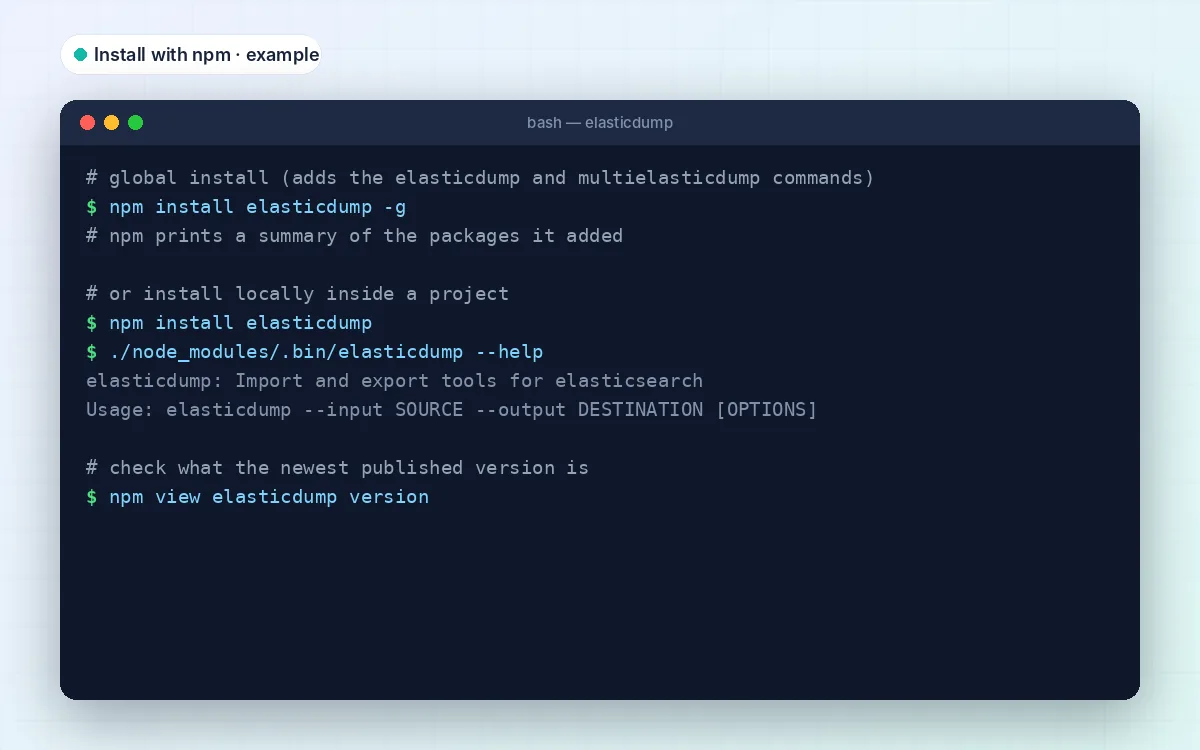
$ npm install elasticdump -g
≈7.9k stars
on GitHub
10M+ pulls
on Docker Hub
Apache-2.0
free for any use
ES + OpenSearch
both supported
- Latest: v6.124.1
- Needs Node.js 10+
- Windows · macOS · Linux
- Docker image ≈98 MB
- Facts checked 20 Oct 2026
What it is
What is Elasticdump, in plain words?
Think of Elasticdump as cp for Elasticsearch. You tell it where the data lives (--input) and where it should go (--output), and it does the tedious part: paging through the index, batching documents and writing them out on the other side.
It doesn’t need plugins, a snapshot repository or access to the cluster’s disks, just an HTTP connection. That is why it is so popular for quick jobs: refreshing staging with production data, keeping a readable backup before an upgrade, or handing a colleague a slice of an index as a file.
Who it's for
- Developers who want realistic data on a laptop
- Ops engineers moving a handful of indices between clusters
- Teams on hosted Elasticsearch where snapshots aren't an option
- Anyone who wants a backup they can actually open and read
Features
What Elasticdump can do
Nine things it handles well. Every one is documented in the official README, so none of this is guesswork.
Elasticsearch and OpenSearch
Talks to Elasticsearch and, since v6.76.0, OpenSearch. AWS OpenSearch Serverless works too (v6.110.1+).
More than documents
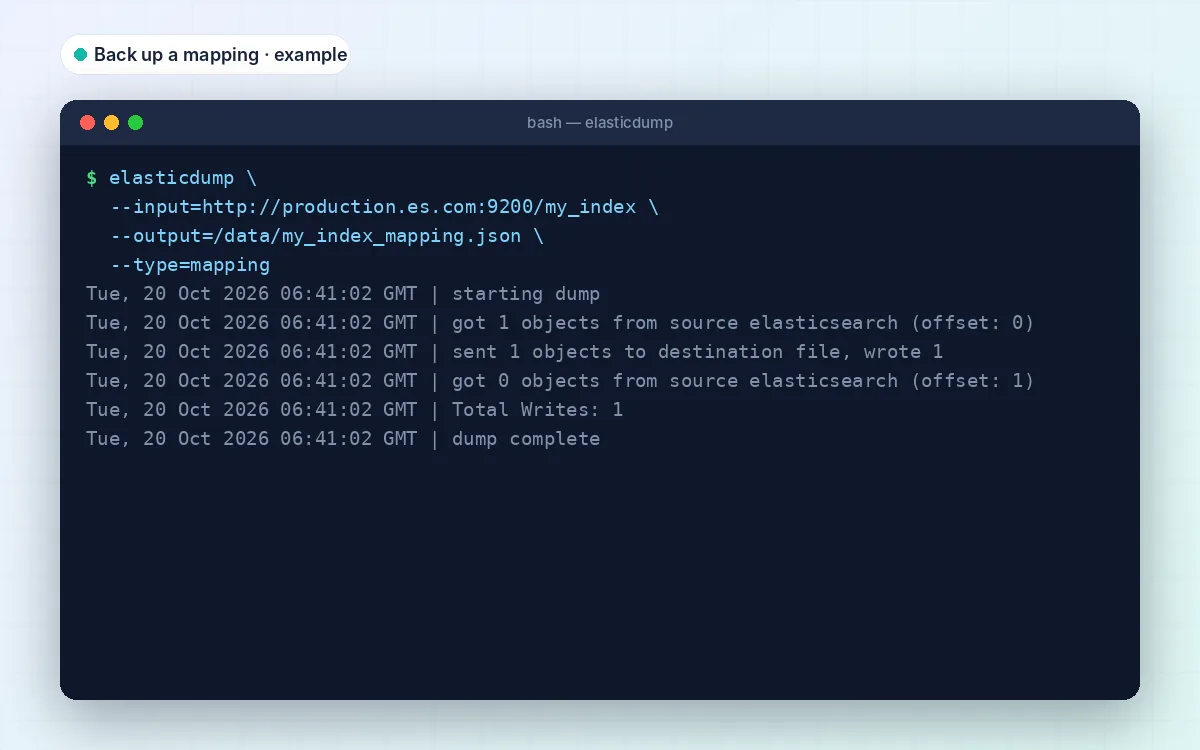
Mappings, analyzers, settings, aliases, templates and ILM policies all move with the same command. Just change --type.
Files, stdout and gzip
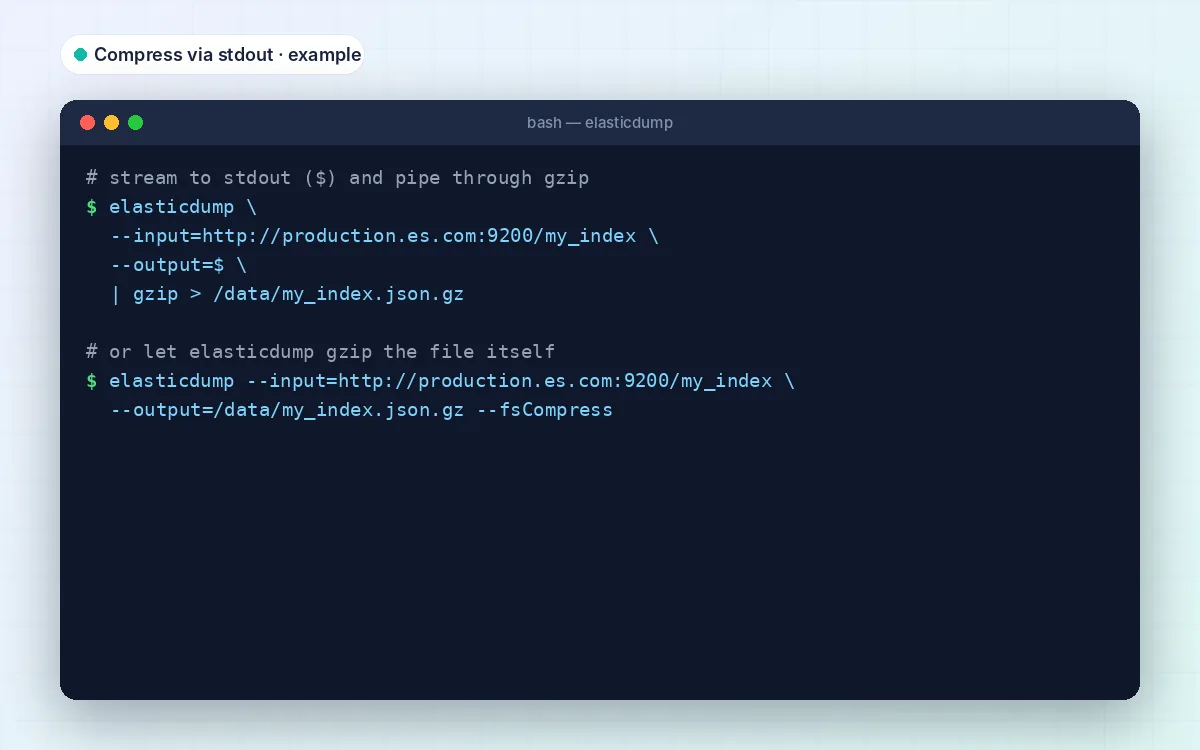
Write line-delimited JSON, pipe through stdout, gzip on the fly with --fsCompress, or split huge dumps with --fileSize.
Straight to S3 or MinIO
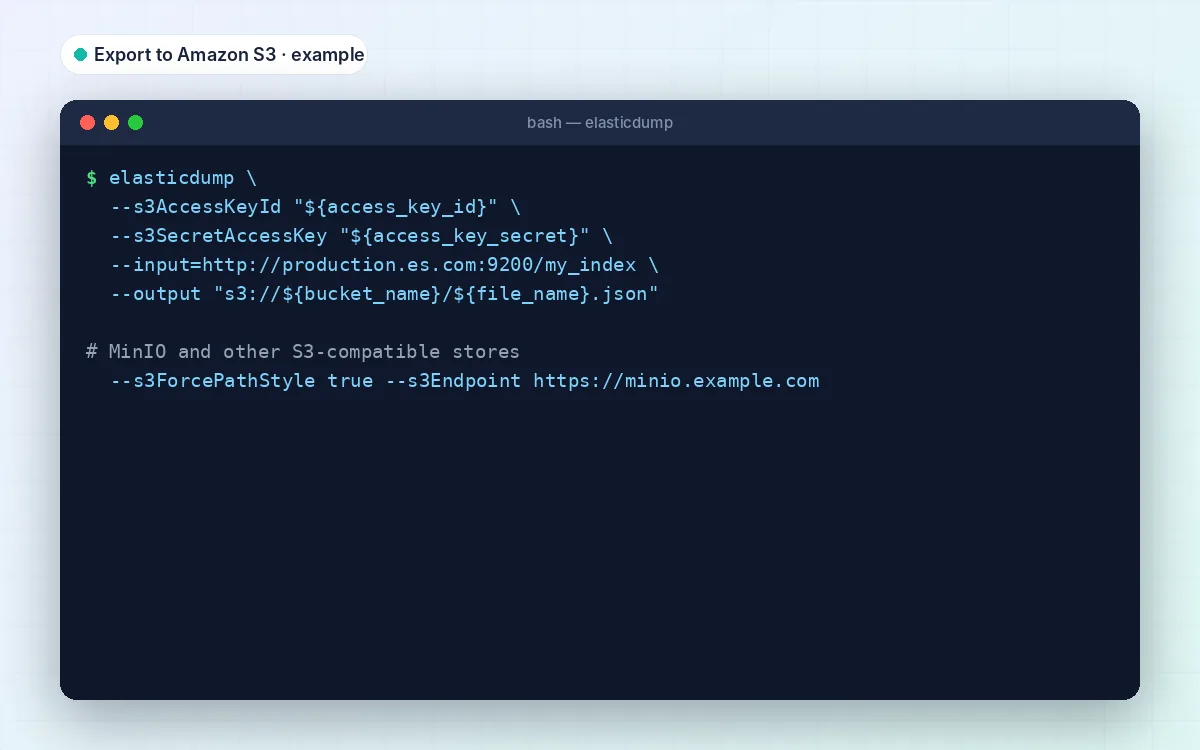
Use an s3:// URL as input or output. MinIO and other S3-compatible stores work with --s3Endpoint.
CSV in and out
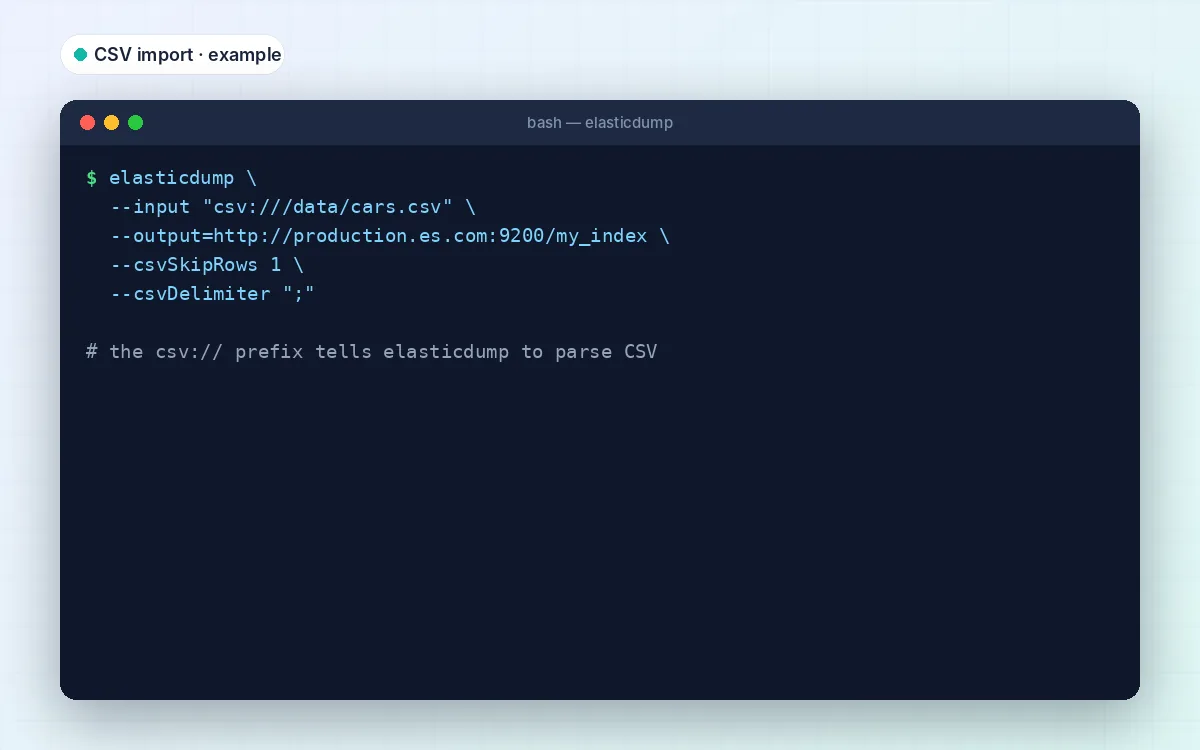
The csv:// prefix (v6.42.0+) imports spreadsheets into an index, or exports documents for people who live in Excel.
Export only what you need
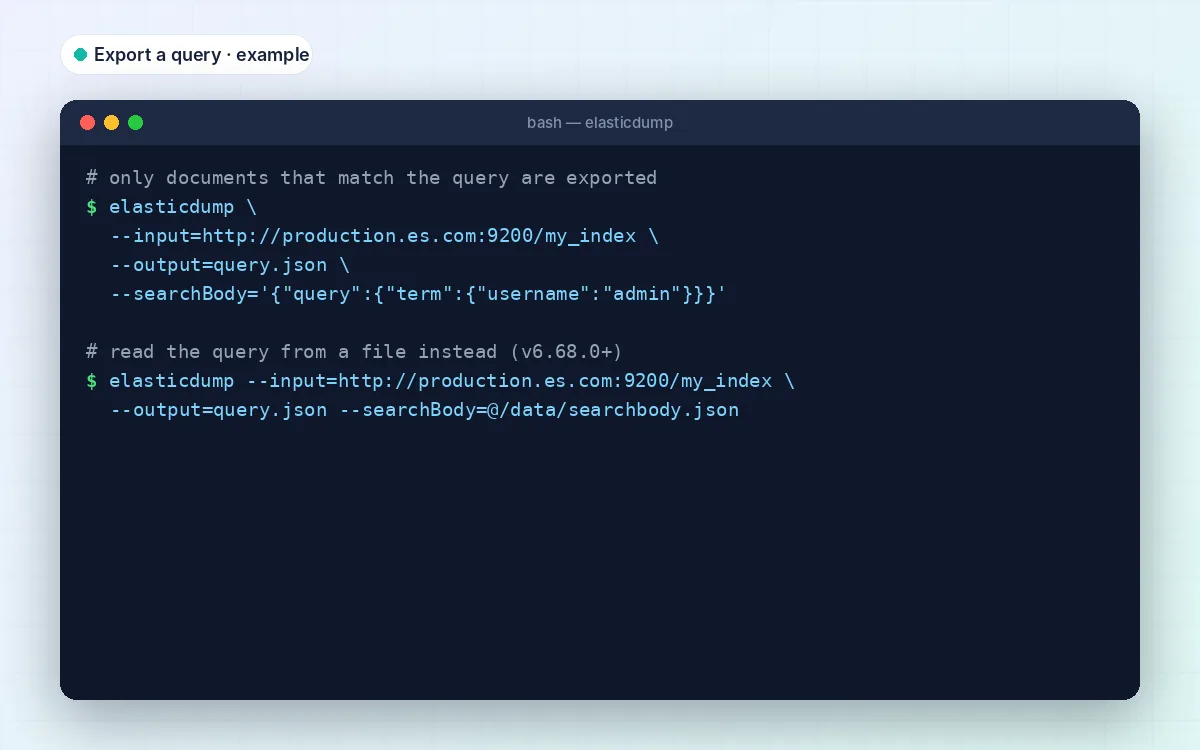
--searchBody takes any Query DSL, from a single term to a date range. Keep long queries in a file with @query.json.
Edit documents on the way
--transform runs JavaScript on every document, for example to rename a field or mask emails before sharing a dump.
Many indices at once
multielasticdump ships in the same package and works through dozens of indices in parallel, one fork per CPU by default.
Works with secured clusters
Basic auth, API keys via headers, your own CA certificate, client certificates and AWS request signing are all supported.
How it works
Three parts to every command
Once this clicks, every Elasticdump command reads like a sentence: take this, maybe change it, put it there.
01
Input
Where the data comes from: a cluster URL like http://127.0.0.1:9200/my_index, a dump file, an s3:// or csv:// path, or $ for stdin.
02
Process
Elasticdump pulls documents in batches (100 by default), runs your –transform if you set one, and keeps the scroll alive.
03
Output
Where it lands: another cluster, a JSON file, split or gzipped files, S3, CSV, or stdout for piping into other tools.
Under the hood
What actually happens when you press Enter
Reading. For a cluster input, Elasticdump opens a scroll search, which holds a consistent view of the results for --scrollTime (10 minutes by default), and fetches about --limit documents per request. On Elasticsearch 7.17+ you can switch to --searchAfter or point-in-time with --pit.
Writing. Cluster outputs get bulk requests. Files get one JSON document per line, which is why you can stream or append them safely.
Order isn’t preserved. Since v6.1.0, batches overlap to go faster, so documents can arrive in a different order. Search doesn’t care; scripts that read the file top to bottom might.
Missing indices are created for you using dynamic mapping. That’s convenient, and also the classic way to end up with the wrong field types. Copy the mapping first.
{"_index":"orders","_id":"1042","_score":1,"_source":{"customer":"acme","total":129.5,"status":"paid"}} Download
Elasticdump download: the official sources
There’s no .exe or .dmg to hunt for. Elasticdump ships as an npm package and a Docker image, and the source lives on GitHub. Pick the one that matches how you work; they all run the same code.
- Version 6.124.1 (newest on npm, Oct 2026)
- Publisher elasticsearch-dump open-source project
- License Apache-2.0, free for commercial use
- Runs on Windows, macOS and Linux (via Node.js) or Docker
- Docker image about 98 MB (latest tag)
- npm size varies; npm pulls in dependencies
Choose how to install
npm install elasticdump -g
docker pull elasticdump/elasticsearch-dump
We never rehost or repackage Elasticdump. If a site offers you an “elasticdump.exe”, close the tab.
Requirements
System requirements
Elasticdump is a Node.js program rather than a desktop app, so it runs anywhere Node.js runs. There’s no separate Windows, Mac or Linux build to pick.
| Requirement | Minimum | Recommended |
|---|---|---|
| Node.js | 10.0.0 (enforced since Elasticdump 6.67.0) | A current Node.js LTS release |
| Package manager | npm (bundled with Node.js) | npm from your Node.js install |
| Operating system | Any OS with Node.js: Windows, macOS, Linux | Linux or macOS shell for easier JSON quoting |
| Alternative runtime | Docker (no Node.js needed) | elasticdump/elasticsearch-dump image |
| Elasticsearch | 5.x+ for default queries (since Elasticdump 3.0.0) | A supported, current release |
| OpenSearch | Supported from Elasticdump 6.76.0 | Recent Elasticdump version |
| Disk space | Enough for the dump file(s) | Use –fileSize or –fsCompress for big indices |
Package size isn’t listed here because npm installs Elasticdump together with its dependencies, and the total changes from release to release.
Install
Install Elasticdump in about two minutes
This is the npm route. If you’d rather not install Node.js at all, skip to the Docker command in the download box.
01
Install Node.js
Grab a current LTS release from nodejs.org. Elasticdump refuses to start on anything older than Node.js 10.
02
Install the package
Run npm install elasticdump -g. That adds two commands: elasticdump and multielasticdump.
03
Check it runs
Type elasticdump –help. If you see the usage line and a long list of options, you’re set.
04
Try a harmless first dump
Export one mapping to a file. It’s tiny, changes nothing, and proves your URL and login work.
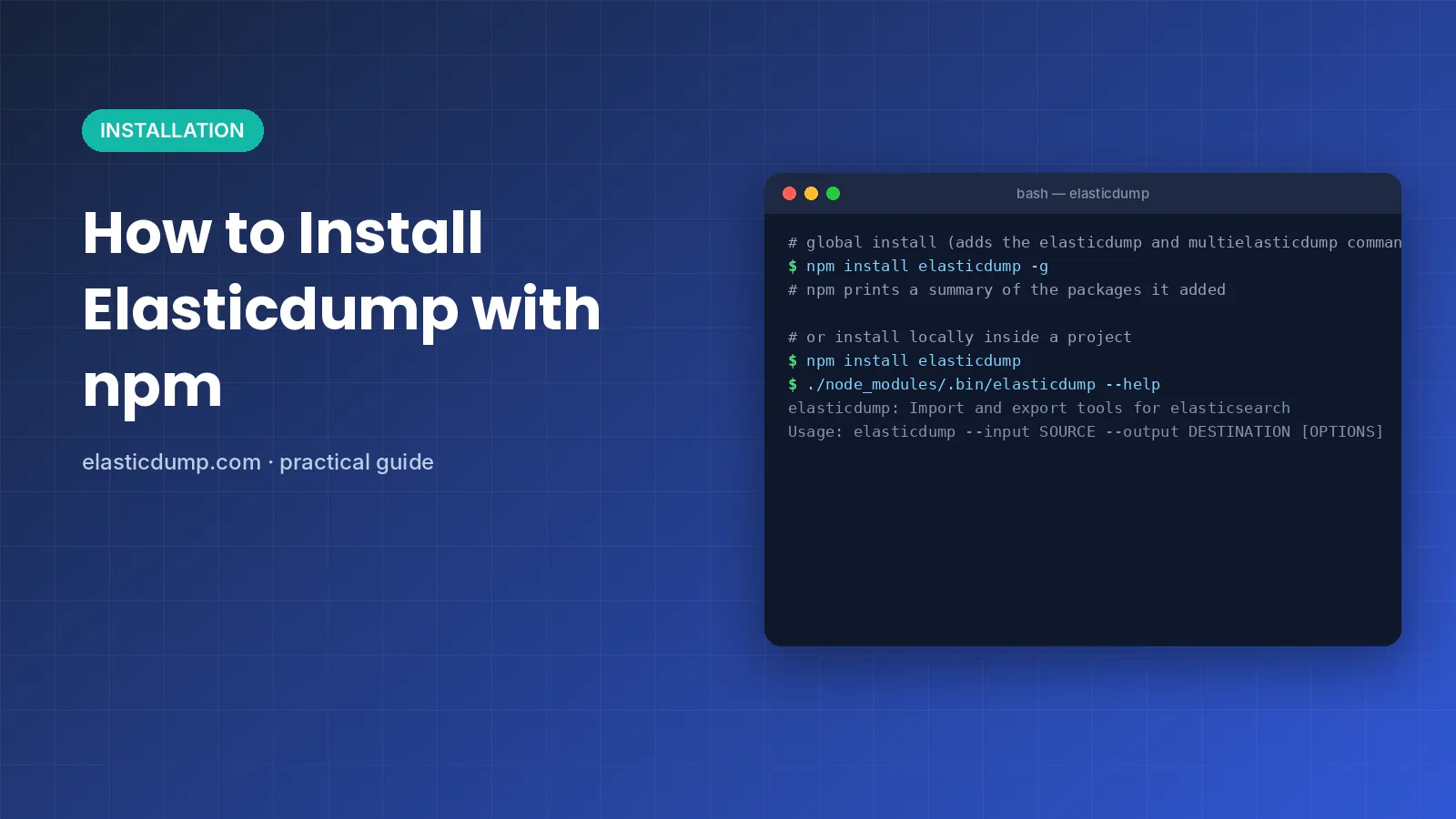
# global install
npm install elasticdump -g
elasticdump --help

# or pinned inside a project
npm install elasticdump
./node_modules/.bin/elasticdump --help

# safe first test
elasticdump \
  --input=http://localhost:9200/my_index \
  --output=my_index_mapping.json \
  --type=mapping
Elasticsearch 8+
Connecting to a secured Elasticsearch 8 cluster
Since version 8.0, Elasticsearch turns security on out of the box: HTTPS on port 9200, a generated password for the elastic user, and a self-signed certificate authority. This is where most first attempts fail, usually with a certificate error. None of the popular Elasticdump tutorials cover it, so here’s the setup that works.
- Copy the CA certificate. On a self-managed node it's in config/certs/http_ca.crt; for Docker, use docker cp.
- Put the username and password in environment variables, so they stay out of your shell history.
- Point Elasticdump at the certificate with --input-ca (or --output-ca when you're importing).
- For regular exports, create a read-only user instead of using elastic.
NODE_TLS_REJECT_UNAUTHORIZED=0 suggested on forums. It works by switching off certificate checks for the whole process. That’s fine on a throwaway laptop cluster, not on anything real. # 1. get the CA cert out of the container docker cp es01:/usr/share/elasticsearch/config/certs/http_ca.crt . # 2. credentials via environment variables export ELASTICDUMP_INPUT_USERNAME=elastic export ELASTICDUMP_INPUT_PASSWORD='your-password' # 3. dump over HTTPS with the CA elasticdump \ --input=https://localhost:9200/my_index \ --input-ca=./http_ca.crt \ --output=my_index.json \ --type=data
Recipes
Copy-paste Elasticdump recipes
The commands people actually search for, ready to adapt. Swap the hosts and index names and you’re done.
Copy an index to another cluster
Run the three passes in this order so the target gets the right settings and field types.
for t in analyzer mapping data; do
  elasticdump \
    --input=http://prod:9200/orders \
    --output=http://staging:9200/orders \
    --type=$t
done
Back up an index to a gzip file
Compressed, readable backup in one go. Add the date so tomorrow’s run doesn’t clash.
elasticdump \
  --input=http://localhost:9200/orders \
  --output=orders-$(date +%F).json.gz \
  --type=data --fsCompress
Restore from a backup file
Same command, flipped. Load the mapping file first, then the data.
elasticdump --input=orders_mapping.json \
  --output=http://localhost:9200/orders --type=mapping
elasticdump --input=orders.json \
  --output=http://localhost:9200/orders --type=data
Export only matching documents
Keep the query in a file. It’s easier to read and avoids quoting trouble.
# errors.json -> {"query":{"term":{"level":"error"}}}
elasticdump \
  --input=http://localhost:9200/logs \
  --output=errors.json.out \
  [email protected]
Export to CSV for a spreadsheet
Use a csv:// path as the output (v6.42.0+). Check nested fields before sharing.
elasticdump \
  --input=http://localhost:9200/customers \
  --output="csv:///tmp/customers.csv"
Split a huge index into parts
Numbered files of 1 GB each are easier to move and less likely to run out of memory.
elasticdump \
  --input=http://localhost:9200/events \
  --output=/backups/events.json \
  --fileSize=1gb
Back up every index at once
multielasticdump skips dot-prefixed system indices with this regex.
multielasticdump \
  --direction=dump \
  --match='^[^.].*$' \
  --input=http://localhost:9200 \
  --output=/backups/all
Run it in Windows PowerShell
PowerShell continues lines with a backtick, not a backslash. Put JSON queries in a file.
elasticdump `
  --input=http://localhost:9200/orders `
  --output=C:\backups\orders.json `
  --type=data
Cheat sheet
The Elasticdump options you'll actually use
The README lists dozens of flags. These twenty are the ones that keep coming up, with their real defaults.
| Option | What it does | Default |
|---|---|---|
--input / --output | Source and destination: URL, file, s3://, csv:// or $ | required |
--type | data, mapping, analyzer, settings, alias, template, policy… | data |
--limit | Documents per batch | 100 |
--size | Total number of documents to fetch | -1 (all) |
--searchBody | Query to export a subset; @file.json reads it from disk | match_all |
--sourceOnly | Write only each document’s _source | false |
--overwrite | Replace an existing output file | false |
--fileSize / --maxRows | Split output into several files | off |
--fsCompress | Gzip file output, or read a gzipped input | off |
--scrollTime | How long the scroll search stays open | 10m |
--retryAttempts / --retryDelay | Retry on connection errors | 0 / 5000 ms |
--transform | JavaScript applied to every document | none |
--headers | Extra request headers, e.g. an API key | User-Agent: elasticdump |
--input-ca / --output-ca | CA certificate for HTTPS clusters | none |
--noRefresh | Skip index refresh during imports (faster) | off |
--offset | Skip N rows to roughly resume a dump | 0 |
--bulkAction | index, update, delete or create | index |
--awsChain | Sign requests for Amazon OpenSearch Service | off |
--searchAfter / --pit | Modern paging for Elasticsearch 7.17+ | false |
--debug / --quiet | More or less logging | false |
Performance
Making big dumps faster, and safer
Elasticdump reads every document over HTTP, so on large indices the settings matter. Change one thing at a time and keep an eye on the cluster. As a rough guide, indices of a few gigabytes are comfortable territory; once you’re into hundreds of gigabytes, snapshot and restore is the better tool.
| Setting | Use it when | Watch out for |
|---|---|---|
--limit=1000 | You want fewer, larger requests | Bigger batches use more memory; lower it if requests time out |
--noRefresh | Bulk-loading a fresh index | New documents aren’t searchable until the index refreshes |
--fileSize=1gb | Exporting a very large index to disk | You’ll restore several files instead of one |
--fsCompress | Disk or network is the bottleneck | Costs some CPU on the machine running Elasticdump |
multielasticdump --parallel=2 | Many indices to move | Every fork adds load to the cluster |
--retryAttempts=5 | Long runs over flaky networks | Can hide a real problem; read the log afterwards |
--scrollTime=30m | The destination is slow | Open scrolls hold resources on the source cluster |
Compatibility
Compatibility
What the official notes say about cluster versions and features.
| Target | Status | Notes |
|---|---|---|
| Elasticsearch 5.x and newer | Supported | Default queries target ES 5+ since Elasticdump 3.0.0 |
| Elasticsearch 1.x – 4.x | May work | Older releases of Elasticdump are a safer choice |
| Elasticsearch 7.x+ types | Changed | Mapping types were removed in ES 7; old templates need updating |
| Elasticsearch 7.17+ | search_after / PIT | Use –searchAfter or –pit (Elasticdump 6.117.0+) |
| OpenSearch | Supported | Added in 6.76.0; –force-os-version overrides detection |
| AWS OpenSearch Serverless | Supported | Added in 6.110.1; uses _search + POST _bulk, which can be slower |
| Amazon OpenSearch Service (IAM) | Supported | Sign requests with –awsChain or AWS key options |
Version history
Breaking changes worth knowing before you upgrade
Old tutorials and scripts often assume an older Elasticdump. If a command from a 2019 blog post misbehaves, the reason is usually in this table.
| Version | What changed | What it means for you |
|---|---|---|
1.0.0 | New dump file format | Files made with 0.x won’t load in newer versions |
2.0.0 | Bulk options removed | Use multielasticdump for many indices |
3.0.0 | Default queries target Elasticsearch 5+ | Very old clusters may need an older release |
5.0.0 | S3 now uses s3:// URLs | s3Bucket and s3RecordKey no longer work |
6.1.0 | Batches processed in parallel | Faster, but document order isn’t guaranteed |
6.32.0 | Node.js 8 dropped | Node.js 10 or newer required |
6.42.0 | CSV import and export | csv:// paths work as input and output |
6.67.0 | Node.js version check | The tool exits right away on old Node.js |
6.68.0 | searchBody from a file | –[email protected] |
6.76.0 | OpenSearch support | Works against OpenSearch clusters |
6.110.1 | AWS OpenSearch Serverless | Uses _search + POST _bulk; can be slower |
6.117.0 | search_after and point-in-time | –searchAfter / –pit on ES 7.17+ |
Use cases
When people reach for Elasticdump
Refresh staging
Copy the mapping and a week of real orders into staging so tests stop passing on fake data.
Back up before an upgrade
Keep a readable JSON copy of the critical indices in case the upgrade goes sideways.
Seed a dev laptop
Export a small filtered sample with --searchBody and --size and load it into a local cluster.
Hand data to an analyst
Export a query as CSV so someone can open it in a spreadsheet without touching the cluster.
Move to a hosted cluster
Shift indices into a managed service where you can't register a snapshot repository.
Archive old indices
Stream last year's logs to S3, gzip them, and free up space on the hot cluster.
In action
Elasticdump in action
Real commands from the official documentation. Output lines are illustrative examples of Elasticdump’s log format.
Honest take
Pros and cons
It’s a great tool, not a magic one. Here’s where it shines and where it struggles.
Where it shines
- Free and open source under Apache-2.0
- One consistent command for clusters, files, S3 and CSV
- Copies mappings, settings, aliases and templates, not just documents
- Docker image for machines without Node.js
- multielasticdump handles many indices in parallel
- Works with OpenSearch as well as Elasticsearch
Where it struggles
- Slower than snapshots for very large indices
- Command line only, no graphical interface
- Document order is not preserved during dumps
- JSON quoting in --searchBody is fiddly, especially on Windows
- Resuming with --offset is approximate, not exact
- Dump files are line-delimited, not single JSON documents
Troubleshooting
When something goes wrong
The errors people hit most often, and the fix for each.
Elasticdump exits right after starting
Since 6.67.0 Elasticdump stops if Node.js is older than 10.0.0. Run node -v, install a current LTS release, then reinstall the package with npm install elasticdump -g.
"self signed certificate in certificate chain"
Point Elasticdump at your CA file with --input-ca or --output-ca (or --ca if both sides share it). Setting NODE_TLS_REJECT_UNAUTHORIZED=0 also works, but it disables certificate checks, so keep it for local testing only.
ECONNREFUSED 127.0.0.1:9200 when using Docker
Inside a container, localhost means the container, not your machine. Add --net=host to docker run on Linux, or use the host’s IP address or hostname in --input.
"File already exists" on export
The file transport never overwrites by default. Delete the old dump, choose a new file name, or add --overwrite if replacing it is what you want.
401 Unauthorized or security_exception
Check the credentials first, then the user’s privileges. The source user needs read access to the index; the destination user needs permission to create the index and write documents.
Imported index has the wrong field types
Elasticsearch creates missing indices automatically with dynamic mapping. Run --type=analyzer and --type=mapping before --type=data so your field types are in place first.
searchBody JSON fails to parse on Windows
PowerShell and cmd treat quotes differently from bash. Save the query in a file and pass [email protected] instead of escaping it inline.
JavaScript heap out of memory on a big export
Split the output with --fileSize=1gb or --maxRows, and lower --limit if you raised it. If you are exporting many indices at once, reduce multielasticdump’s --parallel value.
Security
Security and privacy
Elasticdump runs on your own machine or container and talks straight to the clusters, files and buckets you name. There’s no account, no cloud service and nobody in the middle.
The real risk is the dump itself: it’s a complete copy of your documents in plain JSON. Treat it with the same care as a database backup.
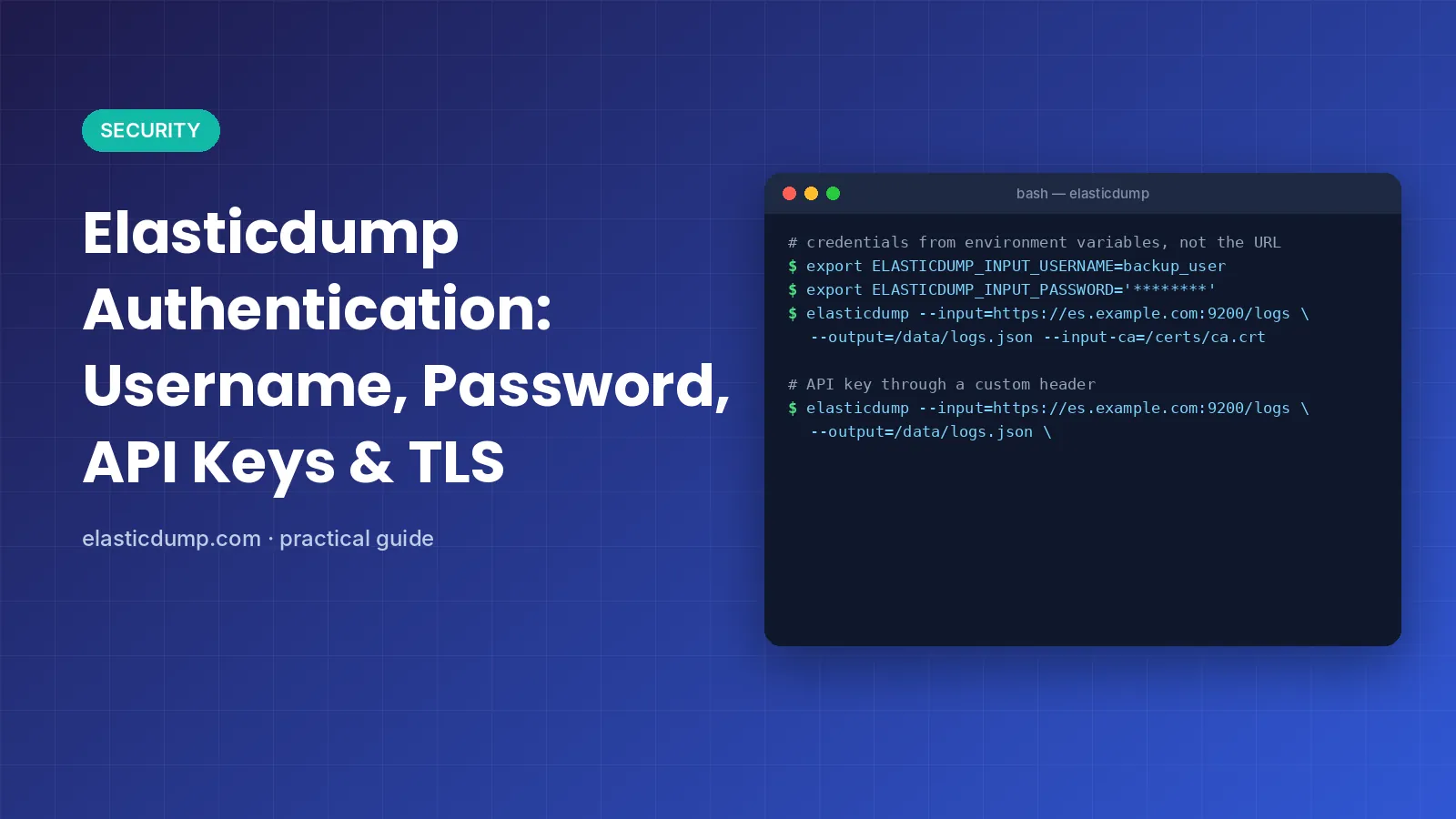
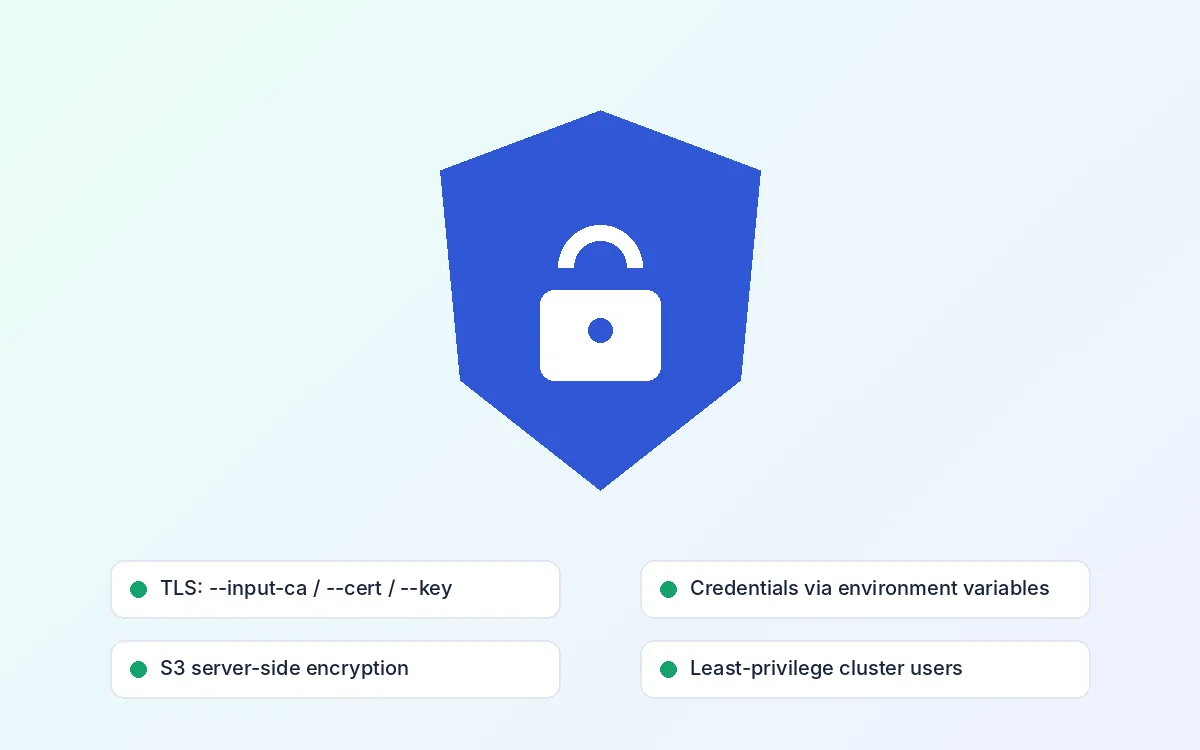
- Pass passwords through ELASTICDUMP_INPUT_USERNAME / _PASSWORD environment variables
- Use HTTPS with --input-ca, --cert and --key instead of disabling TLS checks
- Give the dump user read-only access on the source cluster
- Encrypt S3 uploads with --s3ServerSideEncryption or --s3SSEKMSKeyId
- Mask personal data with a --transform script before sharing dumps
- Install only the official elasticdump package from npm or Docker Hub
Alternatives
Elasticdump alternatives
Elasticdump is one of several ways to move Elasticsearch data. Each tool fits a different job.
| Tool | Best for | Output | Trade-off |
|---|---|---|---|
| Elasticdump | Portable copies of individual indices | JSON, CSV, S3, another cluster | Slower on very large indices |
| Snapshot and Restore | Full backups of big clusters | Snapshot repository | Restores only into compatible versions |
| Reindex from remote | Cluster-to-cluster copies | Directly into the target index | Needs remote host allow-listing on the target |
| Logstash | Ongoing pipelines with transformation | Any Logstash output plugin | More setup and a separate service |
| Custom scroll + bulk script | Unusual one-off migrations | Whatever you code | You maintain the code |
Quick decision guide
- Disaster recovery for a big production cluster → Snapshot and Restore
- Copy one index between two clusters that can reach each other → Reindex from remote or Elasticdump
- Partial export, CSV, or a file you can read → Elasticdump
- Continuous sync with transformations → Logstash
- Moving across major versions or to OpenSearch → Elasticdump
Community
Community and user reviews
Public numbers from GitHub and Docker Hub, plus space for reviews from your own readers.
≈7.9k stars
GitHub, Oct 2026
862 forks
GitHub, Oct 2026
10M+ pulls
Docker Hub
1,500+ commits
Long project history
[Placeholder] Add a genuine review here: the reader’s own words, their name or handle, their role and the date. Delete this card if you don’t have a verified review yet.
[Reviewer name, role]
[Placeholder] Add a genuine review here: the reader’s own words, their name or handle, their role and the date. Delete this card if you don’t have a verified review yet.
[Reviewer name, role]
[Placeholder] Add a genuine review here: the reader’s own words, their name or handle, their role and the date. Delete this card if you don’t have a verified review yet.
[Reviewer name, role]
FAQ
Frequently asked questions
Short, practical answers about downloading, installing and using Elasticdump.
Download, Installation & Licensing
Where can I get the official Elasticdump download?
Elasticdump is published as the elasticdump package on npm and as the elasticdump/elasticsearch-dump image on Docker Hub, with source code on GitHub under the elasticsearch-dump organization. There is no separate desktop installer. Install it with npm install elasticdump -g or pull the Docker image. Elasticdump.com only links to these official sources and never hosts its own copies.
Is Elasticdump free to use?
Yes. Elasticdump is open-source software released under the Apache-2.0 license. You can use it for personal and commercial work, modify it and redistribute it, as long as you keep the license and copyright notices. There are no paid tiers, license keys or usage limits built into the tool itself.
What do I need before I install Elasticdump?
You need Node.js and npm. From version 6.67.0, Elasticdump checks the Node.js version and quits if it is older than 10.0.0. In practice a current Node.js LTS release is the safest choice. If you would rather not install Node.js at all, use the official Docker image instead.
Should I install Elasticdump globally or locally?
A global install (npm install elasticdump -g) adds the elasticdump and multielasticdump commands to your PATH, which suits one-off admin work. A local install (npm install elasticdump) keeps the version pinned in a project’s package.json, which is better for scripts, CI jobs and teams that need the same version everywhere. Run the local copy from ./node_modules/.bin/elasticdump.
How do I use Elasticdump with Docker?
Pull elasticdump/elasticsearch-dump and pass the usual options after the image name. Mount a host folder with -v /data:/tmp so dump files survive after the container exits, and write to paths under /tmp. If your cluster runs on the same machine, add –net=host on Linux so localhost reaches the host instead of the container.
How do I check my version and update Elasticdump?
Run npm ls -g elasticdump to see the globally installed version, and npm view elasticdump version to see the newest one on npm. Update with npm install elasticdump@latest -g. Read the version warnings in the README before jumping across major versions, because older releases changed file formats and default queries.
Does Elasticdump work on Windows?
Yes. It’s a Node.js tool, so it runs in PowerShell or Command Prompt once Node.js is installed. The main difference is quoting: JSON passed to –searchBody or –headers needs different escaping than in bash. Putting the JSON in a file and using the @ prefix, such as –[email protected], avoids most of those problems.
Is Elasticdump.com the official Elasticdump website?
No. Elasticdump.com is an independent guide written to help people install and use the tool. It isn’t affiliated with the elasticsearch-dump maintainers, Elastic N.V. or the OpenSearch project. For bug reports and release notes, use the GitHub repository; for the package itself, use npm or Docker Hub.
Features, Security & Troubleshooting
What can Elasticdump export besides documents?
The –type option controls it. Besides data, Elasticdump can move index, settings, analyzer, mapping, alias, template, component_template, index_template and policy definitions. A typical full copy of one index runs analyzer, then mapping, then data, so the destination index has the right settings and field types before any documents arrive.
How do I pass a username and password to Elasticdump?
You can embed basic auth in the URL, like http://user:password@host:9200/index, but that leaves the password in your shell history. A safer option is the ELASTICDUMP_INPUT_USERNAME and ELASTICDUMP_INPUT_PASSWORD environment variables, with ELASTICDUMP_OUTPUT_USERNAME and ELASTICDUMP_OUTPUT_PASSWORD for the destination cluster. Elasticdump reads them automatically, so the password never appears in the URL.
Can Elasticdump use API keys or client certificates?
Yes. For API keys, send an Authorization header with –headers, for example {“Authorization”:”ApiKey “}; input-headers and output-headers variants apply it to one side only. For TLS, use –input-ca or –output-ca for the CA certificate and –cert, –key and –pass for client certificate authentication, with –tlsAuth enabling X509 client auth.
What is multielasticdump?
Multielasticdump is a second command installed with the same package. It wraps elasticdump and runs it in parallel across many indices, forking one process per CPU by default. With –direction=dump it writes each matching index to a folder; with –direction=load it reads that folder back into a cluster. –match filters indices with a regular expression.
How do I export only some documents?
Use –searchBody with an Elasticsearch query, for example a term query on one field. Only matching documents are exported. Since version 6.68.0 you can store the query in a file and reference it as –searchBody=@/path/query.json, which is easier to read, reuse and version-control than a long escaped string on the command line.
Does Elasticdump keep documents in their original order?
No. Since version 6.1.0, Elasticdump processes batches with overlapping promises for better throughput, which means records are not guaranteed to be written in sequence. For normal search use this rarely matters, because Elasticsearch sorts results at query time. If you need ordered output, sort the dump file afterwards.
Can I resume an export that failed halfway?
Partly. –offset skips a number of rows from the input, so you can restart near the last logged offset, but the README warns that unsorted dumps make this approximate. If the scroll context hasn’t expired, –scrollId with the last returned ID can pick up where it stopped. For long jobs, increase –scrollTime and use –retryAttempts.
Is Elasticdump fast enough for very large indices?
It works, but it reads every document over HTTP, so huge indices take time. Raise –limit for bigger batches, split output with –fileSize, run several indices at once with multielasticdump, and consider –noRefresh on imports. For full-cluster disaster recovery, Elasticsearch’s own snapshot and restore is usually faster.
Does Elasticdump work with OpenSearch and AWS?
Yes. OpenSearch support arrived in 6.76.0 and AWS OpenSearch Serverless in 6.110.1. Serverless collections don’t support the scroll API, so Elasticdump falls back to _search and POST _bulk, which can be slower. For IAM-protected Amazon domains, use –awsChain or the AWS key options so requests are signed.
Stuck on a command?
Tell us what you’re trying to move and where it’s going. We read every message, and the best questions become new guides. Bugs in Elasticdump itself belong on the GitHub issue tracker.